CnFormDialog
Schema-driven create/edit form dialog. Auto-generates form fields from a schema, supports multiple widget types, and follows the two-phase confirm/result pattern.
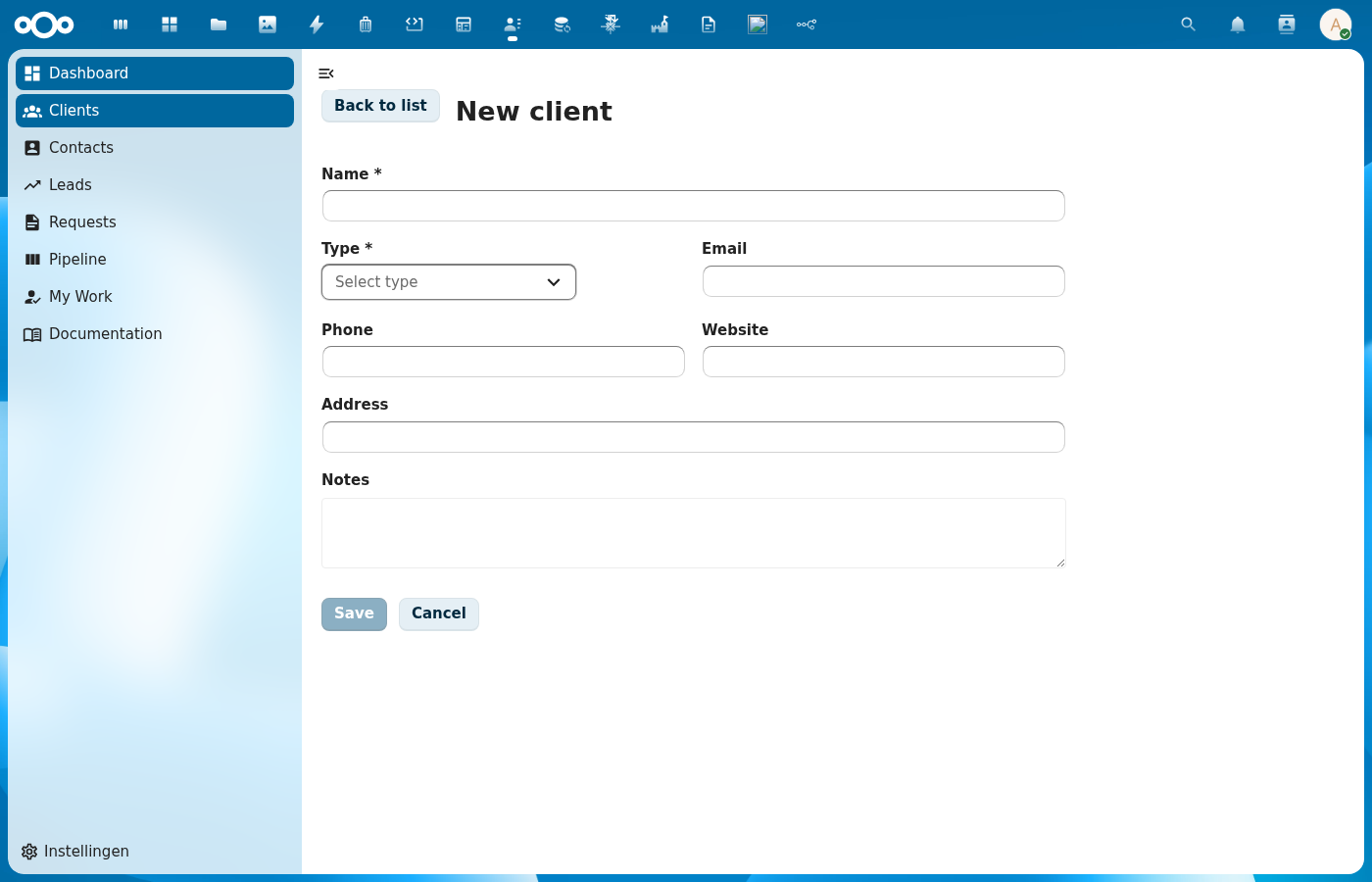
Try it
Wraps: NcDialog, NcButton, NcTextField, NcSelect, NcCheckboxRadioSwitch
Props
| Prop | Type | Default | Description |
|---|---|---|---|
schema | Object | null | Schema for auto-generating fields |
item | Object | null | For edit mode (null = create) |
register | String | '' | Register slug used to resolve OpenRegister object references ($ref). A schema property that is an object reference renders as a searchable dropdown of the referenced objects (label = human name, value = UUID). See Object references. When empty, reference fields fall back to a plain text input. |
dialogTitle | String | '' | Defaults to "Create/Edit {schema.title}" |
fields | Array | null | Manual field definitions (overrides schema) |
initialData | Object | {} | Seed values for CREATE mode, keyed by field. Merged over the schema defaults when opening a new-item form. Use it to pre-link a child to its parent when adding from a detail page (e.g. { lead: '<uuid>' }). |
lockedFields | Array | [] | Field keys rendered read-only (disabled) and immutable — typically the parent reference seeded via initialData so the user can't repoint a child away from the record it was created under. |
excludeFields | Array | [] | Fields to hide |
includeFields | Array | null | Fields to show (whitelist) |
fieldOverrides | Object | {} | Per-field overrides (see Field Overrides) |
nameField | String | 'title' | |
size | String | 'normal' | Dialog size |
columns | Number | 1 | How many columns the auto-generated fields flow into. 2 pairs them up; textareas, JSON and code editors still span the full width, and the layout collapses to one column below 700px. Pair it with size="large". |
dynamicLoadingLabel (dynamic-loading-label) | String | 'Loading the fields this choice adds.' | Text shown while the fields a chosen value brings with it are being fetched. See Fields the data decides. |
successText | String | '' | |
cancelLabel | String | ||
closeLabel | String | ||
confirmLabel | String | ||
referenceContext (reference-context) | Object | null | null | Object context { register, schema, objectId } forwarded to the integration single-entity widget rendered for fields that declare a referenceType (AD-18). Optional. |
Widget Types
| Widget | Used For |
|---|---|
text | Short strings |
email | Email addresses |
url | URLs |
number | Numeric input |
textarea | Long text |
select | Single choice from options (static or async) |
multiselect | Multiple choices (static or async) |
user | Single Nextcloud user (referenceType: 'nextcloud-user' / format: 'user') — a searchable dropdown of real users rendered by the shared select branch as NC's native :user-select picker (stores the UID string). See Nextcloud user references |
user-multiselect | Multiple Nextcloud users — searchable multi-select (stores an array of UIDs) |
tags | Tag input (with optional async suggestions) |
checkbox | Boolean toggle |
switch | Toggle over a 2-value enum (off → first value, on → last value) |
date | Date picker |
datetime | Date-time picker |
json | JSON editor (CnJsonViewer). formData holds the parsed value; invalid JSON blocks confirm |
code | Freeform code editor (CnJsonViewer). formData holds the raw string; syntax highlighting via field.language |
icon | Icon picker (CnIconPicker). Forwards field.iconSources → sources (default ['mdi']), plus field.catalogues / field.searchable (default on) / field.allowCustomSvg. formData holds the selected icon value |
Events
| Event | Payload | Description |
|---|---|---|
confirm | formData, dynamic | Form confirmed. formData holds the object's own fields and includes id when editing. dynamic carries { answers, declarations } when the schema declares x-openregister-extends-form, and is null otherwise. |
close | — | Dialog closed |
Slots
| Slot | Scope | Description |
|---|---|---|
#form | fields, formData, errors, updateField | Full form override |
#field-\{key\} | field, value, error, updateField | Per-field override |
#field-\{key\}-option | option object properties | Custom dropdown option rendering for a select/multiselect/tags field |
#field-\{key\}-selected-option | option object properties | Custom selected option display for a select/multiselect/tags field |
#before-fields | — | Content before fields |
#after-fields | — | Content after fields |
The #field-{key}-option and #field-{key}-selected-option slots receive all properties of the option object as scope. They are forwarded directly to NcSelect's #option and #selected-option slots. When not provided, NcSelect uses its default label-based rendering.
Public Methods
| Method | Description |
|---|---|
validate() | Client-side validation (returns boolean) |
setResult(result) | Set the terminal operation result ({ success?, error? }). Switches to the result phase, replacing the form. |
setValidationErrors(fieldErrors, message?) | Show server validation errors without leaving the form phase so the user can fix the data. fieldErrors maps field key → message; the optional message is shown as a form-level error note above the fields. Use this for 400/422 responses instead of setResult({ error }). |
Field Definition
When using the fields prop (manual field definitions), each field object supports:
| Property | Type | Description |
|---|---|---|
key | String | Required. Form data key and slot name suffix |
label | String | Required. Display label |
widget | String | Required. Widget type (see table above) |
required | Boolean | Marks field as required |
readOnly | Boolean | Disables the field |
description | String | Helper text shown below the field |
default | * | Default value for create mode |
enum | Array | Function | Options for select widget. Static array or async function (see below) |
items | Object | For multiselect: { enum: [...] } or { enum: asyncFn } |
debounce | Number | Debounce delay in ms for async enum search (default: 300) |
validation | Object | { minLength, maxLength, minimum, maximum, pattern } |
language | String | For code: 'json' | 'xml' | 'html' | 'text' | 'auto' (default 'auto') |
JSON and code fields
For structured-data editing, use widget: 'json'; for freeform highlighted code, use widget: 'code'. Both render a CnJsonViewer inline.
widget: 'json'
Use when the schema property holds a structured value (object, array, primitive, or null). fieldsFromSchema skips type: 'object' by default — setting an explicit widget opts the property back in, so object-shaped values flow through.
// schema
{
  title: 'Consumer',
  required: ['name'],
  properties: {
    name: { type: 'string', title: 'Name', required: true },
    authorizationConfiguration: {
      type: 'object',
      widget: 'json',
      title: 'Authorization configuration',
    },
  },
}
The editor shows pretty-printed JSON. On every keystroke the content is parsed: on success formData.authorizationConfiguration updates to the parsed value; on failure the previous value is preserved, an inline error appears, and the Confirm button is disabled until the JSON is valid. An empty editor resolves to null.
widget: 'code'
Stores the raw string as-is — no parse, no validation.
{
  type: 'string',
  widget: 'code',
  title: 'Template',
  language: 'html',
}
language may be 'json', 'xml', 'html', 'text', or 'auto' (default 'auto' — CnJsonViewer sniffs the content).
Async Select
Select, multiselect, and tags fields support async options by setting enum (or items.enum) to an async function instead of a static array:
{
  key: 'organisation',
  widget: 'select',
  label: 'Organisation',
  required: true,
  description: 'Type to search for organisations',
  enum: async (query) => {
    const results = await orgStore.search(query, 20, 0)
    return results.map(org => ({
      label: org.name,
      id: org.uuid,
      description: org.description,
      users: org.users,
    }))
  },
  debounce: 500,
}
Behavior:
- The function receives the search query string and must return an array of option objects
- Each option must have a
labelproperty (used by NcSelect for default display) - Options are loaded on mount (called with
'') and on each search input (debounced) - Per-field loading state is shown via NcSelect's loading indicator
filterableis automatically set tofalsefor async fields (server-side filtering)- Async selects store the full option object in
formData(not just an ID)
Static enums are unchanged — arrays work exactly as before, storing just the ID value.
Object references ($ref)
A schema property that is an OpenRegister object reference renders as a searchable dropdown of the referenced objects (label = human name, value = UUID) instead of a free-text UUID box:
// schema
{
  title: 'Case',
  required: ['title', 'caseType'],
  properties: {
    title: { type: 'string', title: 'Title' },
    // single reference → searchable single-select
    caseType: { type: 'string', format: 'uuid', $ref: 'caseType', title: 'Case type' },
    // array of references → searchable multi-select
    contacts: { type: 'array', items: { $ref: 'contact' }, title: 'Contacts' },
  },
}
<CnFormDialog :schema="schema" :register="'zaken'" @confirm="onConfirm" />
Behavior:
fieldsFromSchemaresolves a$refproperty to aselectwidget (ormultiselectforitems.$ref) and recordsfield.reference = { schema, multiple }. The$refvalue is the referenced schema slug.- Pass the
registerprop so the dialog can fetch the referenced objects viaGET /api/objects/{register}/{schema}(limit 100, server-filtered by the search term). - Each object is mapped to
{ label, value }where the label resolves throughtitle → name → naam → label → identifier → @self.name → id. - The value stored in
formDatais the UUID (single) or array of UUIDs (multiple) — never the full object. In edit mode the stored UUID is resolved to its label so the current selection displays. - When
registeris empty (or the fetch fails) the field falls back to a plain text input — no regression, no console spew.
CnIndexPage threads its own register into the built-in CnFormDialog automatically, so reference fields resolve out of the box on manifest-driven and self-fetch pages.
Nextcloud user references (referenceType: "nextcloud-user")
A schema property that represents a Nextcloud user renders as a searchable dropdown of real Nextcloud users (label = display name, value = UID) instead of a free-text box. Mark the property with referenceType: "nextcloud-user" (preferred) — format: "user" / format: "username" work too:
const schema = {
  title: 'Case',
  properties: {
    // single user → searchable single-select (stores the UID string)
    assignee: { type: 'string', referenceType: 'nextcloud-user', title: 'Assignee' },
    // array of users → searchable multi-select (stores an array of UIDs)
    watchers: { type: 'array', items: { referenceType: 'nextcloud-user' }, title: 'Watchers' },
  },
}
<CnFormDialog :schema="schema" @confirm="onConfirm" />
Behavior:
fieldsFromSchemaresolves a user-marked property to auser-selectwidget (oruser-multiselectfor an array) and tags itfield.userPicker = { multiple }.- Users are loaded from the core autocomplete OCS endpoint (
GET /ocs/v2.php/core/autocomplete/get), which is available to every authenticated user (not just admins). Each suggestion is mapped to{ label: <display name>, value: <uid> }. The search is debounced (300 ms). - The value stored in
formDatais the UID string (single) or array of UIDs (multiple) — never the display object. In edit mode the stored UID is resolved to its display name so the current selection shows (falling back to the UID itself when the name can't be resolved). - No
registerprop is needed. If the OCS call fails the picker fails soft (empty options, no console spew) and the stored UID still displays. - A
#field-<key>slot still overrides the picker entirely.
Inline create (x-allow-create)
Add x-allow-create: true (or allowCreate: true) to a single $ref property and the field renders CnResourceSelect instead of a read-only select — the user can pick an existing object or type a new term to create one inline (the term is written to the reference schema's label field, default name):
// single reference the user can pick OR create
ocName: { type: 'string', format: 'uuid', $ref: 'player', 'x-allow-create': true, title: 'Player' }
The stored value is still the chosen (or freshly-created) object's UUID. Without the flag, a $ref stays a plain select of existing objects.
Nextcloud-user picker (format: "user", widget: "user")
A { type: 'string', format: 'user' } property renders a user picker that async-searches Nextcloud users (via the core autocomplete/get OCS endpoint) and stores the selected uid string. In edit mode the stored uid is resolved to its display name for the label.
userUid: { type: 'string', format: 'user', title: 'Nextcloud user' }
Enum toggle (widget: "switch")
A 2-value enum property with widget: 'switch' renders as a toggle instead of a select: off maps to the first enum value, on maps to the last. The stored value stays an enum string, so an enum-driven x-openregister-lifecycle keeps working.
approved: { type: 'string', enum: ['no', 'approved'], widget: 'switch', title: 'Approved' }
Fields the data decides
A schema property may carry x-openregister-extends-form, declaring that picking its value brings further fields with it. A case type declares the extra questions its cases answer, and a functional admin adds them at runtime, so the schema cannot enumerate them.
"caseType": {
  "type": "string",
  "$ref": "caseType",
  "title": "Case type",
  "x-openregister-extends-form": {
    "definitions": { "schema": "propertyDefinition", "filter": { "caseType": "$value" } },
    "values": { "schema": "caseProperty", "objectRef": "case",
                "definitionRef": "propertyDefinition", "valueKey": "value" }
  }
}
The dialog fetches the matching definitions on selection and renders them as ordinary fields, keyed x-prop:<definition id> so an admin-authored name can never collide with a real schema property. Changing the driving value clears the previous answers.
confirm then carries two arguments. A value row references the parent object, so it cannot be written in the same call, and posting a dynamic key to the parent schema would have OpenRegister drop it silently:
async onConfirm(formData, dynamic) {
  const saved = await store.saveObject('dossiq/case', formData)
  if (!dynamic) return
  for (const row of valueRecordsFor(dynamic.answers, dynamic.declarations[0].config, saved.id)) {
    await store.saveObject('dossiq/caseProperty', row)
  }
}
A host that ignores the second argument still posts a clean payload. Full reference: fields the data decides.
Cross-app semantic references (referenceSemanticType)
The semantic sibling of the $ref mechanism (ADR-048). A schema property can point at a canonical semantic-type URI instead of a local schema slug, so the form binds to whichever installed app provides that type — regardless of which register/schema it lives in:
// schema
{
  title: 'Product',
  properties: {
    // resolves to the provider schema that implements this URI, in ANY app
    supplier: {
      type: 'string',
      title: 'Supplier',
      referenceSemanticType: 'https://schema.org/Organization',
      referenceSemanticApp: 'shillinq', // optional — names the expected provider app
    },
  },
}
Behavior:
fieldsFromSchemasurfacesfield.referenceSemanticTypeandfield.referenceSemanticApponto the field descriptor (bothnullwhen the keys are absent — no behaviour change).- On mount the dialog resolves each distinct URI once against OpenRegister's discovery endpoint
GET /apps/openregister/api/schemas/resolve-by-implements?uri=<uri>→{ resolved, registerSlug, schemaSlug, appId }. Resolution is async; results are cached per URI, so the endpoint is hit at most once per URI, never per render. - Resolved (some installed schema implements the URI) → the field is transformed into a
$refreference field pointed at the provider's register (registerSlug) and schema (schemaSlug) and rendered as a searchable object picker over that cross-app register. The chosen object's UUID is stored as the value. - Unresolved (no installed provider, or the endpoint 404s / errors) → the field renders disabled with a mouse-over
titletooltip and helper text: "The{appLabel}app that provides{typeLabel}is not installed."typeLabelis derived from the URI's last path segment;appLabelfromreferenceSemanticApp(fallback: a generic "supporting app"). The rest of the form stays fully editable and saveable. - While loading → the field renders disabled (loading) and never crashes.
This reuses the same register fetch machinery as $ref, targeting the provider's register rather than the form's own register prop — so no extra props are needed.
Field Overrides
The fieldOverrides prop accepts an object keyed by field name. Each override is merged onto the auto-generated field definition, so any field property can be changed.
enumLabels
For select fields backed by an enum, the dropdown displays raw enum values by default. Use enumLabels to provide human-readable labels:
fieldOverrides: {
  type: {
    enumLabels: { internal: 'Internal', mongodb: 'MongoDB' },
  },
}
The enumLabels object maps each enum value to its display label. Values without a mapping fall back to the raw value.
A schema can declare the same map itself, so the labels live next to the enum instead of being repeated in every page that renders it:
{
  "status": {
    "type": "string",
    "title": "Status",
    "enum": ["ingediend", "afgekeurd"],
    "x-enum-labels": { "ingediend": "Submitted", "afgekeurd": "Rejected" }
  }
}
fieldsFromSchema() puts that on the field as enumLabels; a fieldOverrides entry still wins. The same map is read by CnCellRenderer (the status badge on index/detail surfaces) and by filtersFromSchema(), so one declaration covers all three.
Translation
Everything the user reads is run through the host app's cnTranslate (provided by CnAppRoot): the dialog heading built from schema.title, each field label and description (from the property title / description), and each enum option label. The stored value is never translated — the option's id stays the raw schema code, so what is saved, sorted and filtered is unaffected.
Because enum labels resolve through x-enum-labels before translation, the catalogue key is the English label ("Submitted"), not the stored code. That matters when the code is not English: without the map, an English session would read ingediend and there would be no English source key for the catalogue to be built on.
Live demo
<template>
  <div>
    <button @click="open = true" style="padding: 6px 16px; border-radius: 4px; background: var(--color-primary-element); color: white; border: none; cursor: pointer;">New contact</button>
    <CnFormDialog
      v-if="open"
      ref="dlg"
      dialog-title="New contact"
      :fields="fields"
      @confirm="onConfirm"
      @close="open = false" />
  </div>
</template>
<script>
export default {
  data() {
    return {
      open: false,
      fields: [
        { key: 'name', label: 'Name', widget: 'text', required: true },
        { key: 'email', label: 'Email', widget: 'email' },
        { key: 'notes', label: 'Notes', widget: 'textarea' },
      ],
    }
  },
  methods: {
    async onConfirm(formData) {
      await new Promise(r => setTimeout(r, 800))
      this.$refs.dlg.setResult({ success: true })
    },
  },
}
</script>
Usage
Basic (schema-driven)
<CnFormDialog
  :schema="schema"
  :item="editItem"
  :exclude-fields="['id', 'created', 'updated']"
  @confirm="onFormConfirm"
  @close="editItem = null">
  <!-- Custom field for 'notes' -->
  <template #field-notes="{ field, value, updateField }">
    <RichTextEditor :value="value" @input="updateField('notes', $event)" />
  </template>
</CnFormDialog>
Async select with custom option rendering
<CnFormDialog
  :fields="fields"
  dialog-title="Add User to Organisation"
  confirm-label="Add User"
  @confirm="onConfirm"
  @close="onClose">
  <!-- Rich dropdown options for organisation -->
  <template #field-organisation-option="{ name, description, users, isDefault }">
    <div class="org-option">
      <div>
        <strong>{{ name }}</strong>
        <span v-if="isDefault" class="badge">Default</span>
      </div>
      <p v-if="description">{{ description }}</p>
      <span class="meta">{{ users?.length || 0 }} members</span>
    </div>
  </template>

  <!-- Simpler display for the selected value -->
  <template #field-organisation-selected-option="{ name }">
    <span>{{ name }}</span>
  </template>

  <!-- Info note below the form -->
  <template #after-fields>
    <NcNoteCard type="info">
      Select an organisation to add the user as a member.
    </NcNoteCard>
  </template>
</CnFormDialog>
// In setup / data:
const fields = [
  {
    key: 'organisation',
    widget: 'select',
    label: 'Organisation',
    required: true,
    enum: async (query) => {
      const results = await orgStore.search(query, 20, 0)
      return results.map(org => ({ label: org.name, id: org.uuid, ...org }))
    },
    debounce: 500,
  },
  {
    key: 'user',
    widget: 'select',
    label: 'User',
    enum: async (query) => {
      const users = await userApi.search(query)
      return users.map(u => ({ label: u.displayName, id: u.id }))
    },
  },
]
Reference (auto-generated)
The tables below are generated from the SFC source via vue-docgen-cli. They reflect what's actually in CnFormDialog.vue and update automatically whenever the component changes.
Props
| Name | Type | Required | Default | Description |
|---|---|---|---|---|
schema | object | null | Schema for auto-generating fields. Either schema or fields must be provided. | |
item | object | null | Existing item for edit mode. Pass null for create mode. | |
register | string | '' | Register slug to resolve OpenRegister object references against. A schema property that is an object reference ($ref: '<schema-slug>', or items.$ref for an array) renders as a searchable dropdown of the referenced objects (label = human name, value = UUID) instead of a free-text UUID box. The $ref value is the referenced schema slug; this prop supplies the register the objects live in. When empty, reference fields fall back to a plain text input (no fetch attempted). | |
initialData | object | \{\} | Seed values for CREATE mode, keyed by field. Merged over the schema defaults when opening a new-item form. Use it to pre-link a child to its parent when adding from a detail page (e.g. { lead: '<uuid>' }). | |
lockedFields | string[] | [] | Field keys rendered read-only (disabled) and immutable — typically the parent reference seeded via initialData so the user can't repoint a child away from the record it was created under. | |
dialogTitle | string | '' | Dialog title. Defaults to "Create {schema.title}" or "Edit {schema.title}". | |
fields | array | null | Manual field definitions. Overrides schema-generated fields when provided. | |
excludeFields | array | [] | Field keys to exclude from auto-generated form | |
includeFields | array | null | Field keys to include (whitelist mode) | |
fieldOverrides | object | \{\} | Per-field overrides passed to fieldsFromSchema | |
referenceContext | union | null | Object context forwarded to integration single-entity widgets rendered for fields that declare a referenceType (AD-18): { register, schema, objectId }. Optional. | |
nameField | string | 'title' | Which field is the "name" (used in result messages) | |
size | string | 'normal' | NcDialog size | |
columns | number | 1 | How many columns the auto-generated fields flow into. 1 (the default) keeps every existing form exactly as it is. 2 pairs the fields into two columns, which is worth it once a form asks enough questions that the person has to scroll to see whether there are more. Pair it with size="large", or the two columns are merely two narrow ones. A field whose widget needs the room (a textarea, a JSON editor) spans both columns regardless. Below 700px the layout collapses back to one column, so this is safe on a narrow screen. | |
successText | string | '' | Success message. Defaults to "Item saved successfully." | |
dynamicLoadingLabel | string | () => t('nextcloud-vue', 'Loading the fields this choice adds.') | Text shown while the fields a chosen value brings with it are being fetched. The default is deliberately generic; a host that knows the domain can say what is actually loading ("Loading the questions for this case type."). | |
cancelLabel | string | () => t('nextcloud-vue', 'Cancel') | Label for the dismiss button while the form is still showing. | |
closeLabel | string | () => t('nextcloud-vue', 'Close') | Label for the close button | |
confirmLabel | string | '' | Confirm button label. Defaults to "Create" or "Save". |
Events
| Name | Payload | Description |
|---|---|---|
close | — | Emitted when the dialog should close: the user dismissed it, or a successful save auto-closed it. |
confirm | undefined | Emitted when the user confirms the form. Payload: form data object. Includes id when editing. A second argument carries the data-driven answers ({ answers, declarations }) when the schema declares x-openregister-extends-form; it is null otherwise, which is every schema that declares nothing. |
Slots
| Name | Bindings | Description |
|---|---|---|
form | fields, form-data, errors, update-field | form Replace the entire auto-generated form. |
before-fields | — | before-fields Content above the first auto-generated field. Use it for introductory text or an input the schema does not describe. |
'field-' + field.key | name, field, value, error, update-field | field-{key} Replace one auto-generated field with your own control. |
'field-' + field.key + '-option' | name | field-{key}-option Render one dropdown option for a select, multiselect or tags field. |
'field-' + field.key + '-selected-option' | name | field-{key}-selected-option Render the chosen option of a select, multiselect or tags field. |
after-fields | — | after-fields Content below the last auto-generated field. |
Methods
| Name | Description |
|---|---|
validate | Run client-side validation on all form fields. Checks required, minLength, maxLength, pattern, minimum, maximum. |
setResult | Set the result of the save operation. Call this from the parent after the API call completes. |
setValidationErrors | Set validation errors from the server WITHOUT leaving the form phase, so the user can correct the data. Call this from the parent (instead of setResult) when the API returns a validation error. |