CnMassDeleteDialog
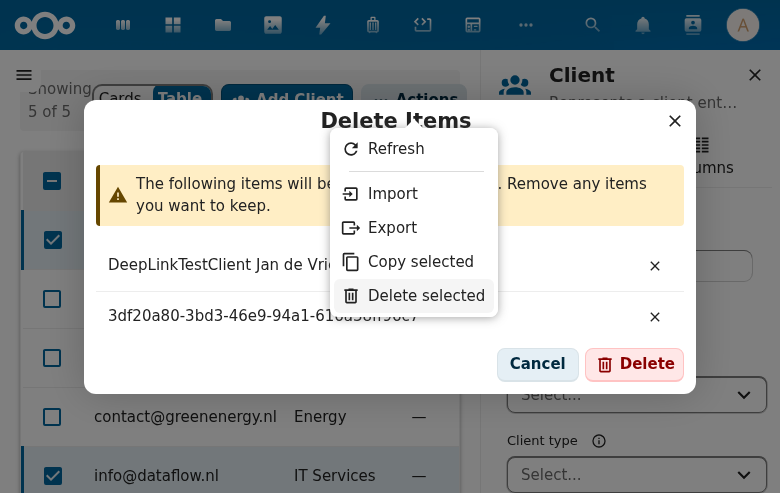
Two-phase mass delete confirmation dialog. Shows list of items to delete, requires confirmation, and displays results.
Try it
Loading CnMassDeleteDialog playground…
Wraps: NcDialog, NcButton, NcNoteCard
Props
| Prop | Type | Default | Description |
|---|---|---|---|
items | Array | [] | Items to delete ([\{ id, name \}]) |
nameField | String | 'title' | Field to display as item name |
nameFormatter | Function | null | Optional function (item) => string to format item names. Overrides nameField when provided. |
dialogTitle | String | 'Delete items' | |
warningText | String | '' | Warning text shown above the item list |
emptyText | String | 'No items selected for deletion.' | Message shown when all items have been removed from the list |
successText | String | 'Items successfully deleted.' | Message shown in the result phase on success |
cancelLabel | String | 'Cancel' | |
closeLabel | String | 'Close' | Label for the close button shown in the result phase |
confirmLabel | String | 'Delete' | |
removeLabel | String | 'Remove from list' | Tooltip/label for the per-item remove button |
Events
| Event | Payload | Description |
|---|---|---|
confirm | ids[] | Deletion confirmed |
close | — | Dialog closed |
Public Methods
| Method | Description |
|---|---|
setResult(\{ success?, error?, results? \}) | Set result per item |
Live demo
<template>
  <div>
    <button @click="open = true" style="padding: 6px 16px; border-radius: 4px; background: var(--color-primary-element); color: white; border: none; cursor: pointer;">Delete selected (2)</button>
    <CnMassDeleteDialog
      v-if="open"
      ref="dlg"
      :items="[{ id: 1, title: 'Report A' }, { id: 2, title: 'Report B' }]"
      @confirm="onConfirm"
      @close="open = false" />
  </div>
</template>
<script>
export default {
  data() { return { open: false } },
  methods: {
    async onConfirm(ids) {
      await new Promise(r => setTimeout(r, 800))
      this.$refs.dlg.setResult({ success: true })
    },
  },
}
</script>
Usage
<CnMassDeleteDialog
  ref="massDeleteDialog"
  :items="selectedItems"
  @confirm="onMassDelete"
  @close="showMassDelete = false" />
Custom name formatting
Use nameFormatter when items don't have a simple name field:
<CnMassDeleteDialog
  :items="selectedAuditTrails"
  :name-formatter="(item) => t('myapp', 'Audit Trail #{id}', { id: item.id })"
  @confirm="onMassDelete"
  @close="showMassDelete = false" />
Reference (auto-generated)
The tables below are generated from the SFC source via vue-docgen-cli. They reflect what's actually in CnMassDeleteDialog.vue and update automatically whenever the component changes.
Props
| Name | Type | Required | Default | Description |
|---|---|---|---|---|
items | array | ✓ | — | Items to delete. Each must have an id property. |
nameField | string | 'title' | Property name used for display (e.g., 'title', 'name') | |
nameFormatter | func | null | Optional function to format the item name. Receives the item, returns a string. Overrides nameField when provided. | |
dialogTitle | string | () => t('nextcloud-vue', 'Delete items') | Dialog title | |
warningText | string | () => t('nextcloud-vue', 'The following items will be permanently deleted. Remove any items you want to keep.') | Warning text shown above the item list | |
emptyText | string | () => t('nextcloud-vue', 'No items selected for deletion.') | Text when all items removed from list | |
successText | string | () => t('nextcloud-vue', 'Items successfully deleted.') | Success message | |
cancelLabel | string | () => t('nextcloud-vue', 'Cancel') | Label for the cancel button (visible before the delete runs). | |
closeLabel | string | () => t('nextcloud-vue', 'Close') | Label for the close button (visible after delete completes). | |
confirmLabel | string | () => t('nextcloud-vue', 'Delete') | Label for the primary confirm button that triggers the delete. | |
removeLabel | string | () => t('nextcloud-vue', 'Remove from list') | Aria label for the per-row "remove from list" icon button. |
Events
| Name | Payload | Description |
|---|---|---|
close | — | |
confirm | — | Emitted when the user confirms deletion. Payload: array of item IDs to delete. |
Methods
| Name | Description |
|---|---|
setResult | Set the result of the delete operation. Call this from the parent after the API call completes. |