CnSettingsSection
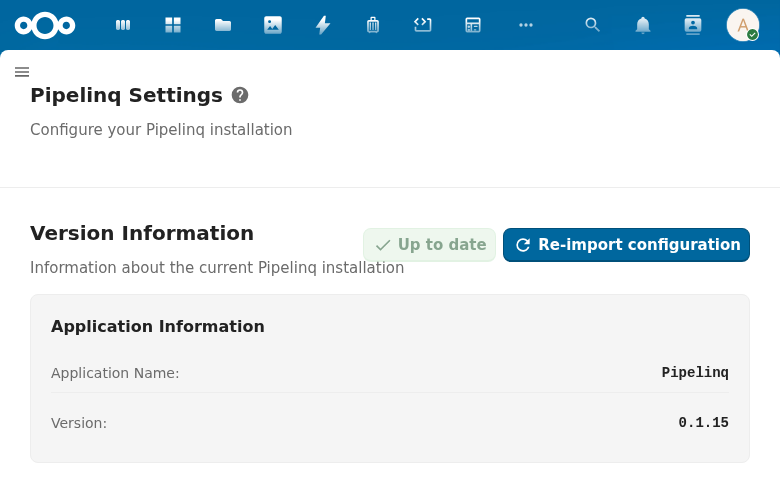
Admin settings section with loading and error states. Wraps NcSettingsSection with async data fetching patterns.
Wraps: NcSettingsSection, NcLoadingIcon, NcButton, NcNoteCard
Try it
Loading CnSettingsSection playground…
Props
| Prop | Type | Default | Description |
|---|---|---|---|
name | String | (required) | Section title (passed to NcSettingsSection) |
description | String | '' | Brief section description shown under the title |
detailedDescription | String | '' | Longer description rendered in a separate block below the title |
docUrl | String | '' | Documentation URL — shows an info icon link next to the title |
loading | Boolean | false | Loading state — shows a loading indicator instead of content |
loadingMessage | String | 'Loading...' | Message shown during loading |
error | Boolean | false | Error state — shows an error card with optional retry button |
errorMessage | String | 'An error occurred' | Message shown in error state |
onRetry | Function | null | Callback for the retry button. When null, no retry button is shown. |
retryButtonText | String | 'Retry' | Label for the retry button |
empty | Boolean | false | Empty state — shows an empty message instead of content |
emptyMessage | String | 'No data available' | Message shown when the section has no data |
Slots
| Slot | Description |
|---|---|
default | Section content |
#actions | Extra action buttons |
#description | Custom description content (replaces description prop) |
#footer | Footer content rendered below the section body |
#empty | Custom empty state (replaces the default empty message) |
Usage
<CnSettingsSection
  name="API Configuration"
  description="Configure the external API connection"
  :loading="loading"
  :error="hasError"
  error-message="Could not load settings"
  :on-retry="fetchSettings">
  <NcTextField label="API URL" v-model="apiUrl" />
  <NcTextField label="API Key" v-model="apiKey" type="password" />
</CnSettingsSection>
Reference (auto-generated)
The tables below are generated from the SFC source via vue-docgen-cli. They reflect what's actually in CnSettingsSection.vue and update automatically whenever the component changes.
Props
| Name | Type | Required | Default | Description |
|---|---|---|---|---|
name | string | ✓ | — | Section name/title |
description | string | '' | Brief section description (shown under title by NcSettingsSection) | |
detailedDescription | string | '' | Detailed description shown in a separate block below the title | |
docUrl | string | '' | Documentation URL (shows info icon next to title) | |
loading | boolean | false | Whether the section is in a loading state | |
loadingMessage | string | () => t('nextcloud-vue', 'Loading...') | Message shown during loading | |
error | boolean | false | Whether the section is in an error state | |
errorMessage | string | () => t('nextcloud-vue', 'An error occurred') | Message shown when in error state | |
onRetry | func | null | Callback function for retry button (shown in error state). If null, no retry button is shown. | |
retryButtonText | string | () => t('nextcloud-vue', 'Retry') | Text for the retry button | |
empty | boolean | false | Whether the section has no data to show | |
emptyMessage | string | () => t('nextcloud-vue', 'No data available') | Message shown when section is empty |
Slots
| Name | Bindings | Description |
|---|---|---|
actions | — | |
description | — | |
default | — | |
empty | — | |
footer | — |