Getting Started
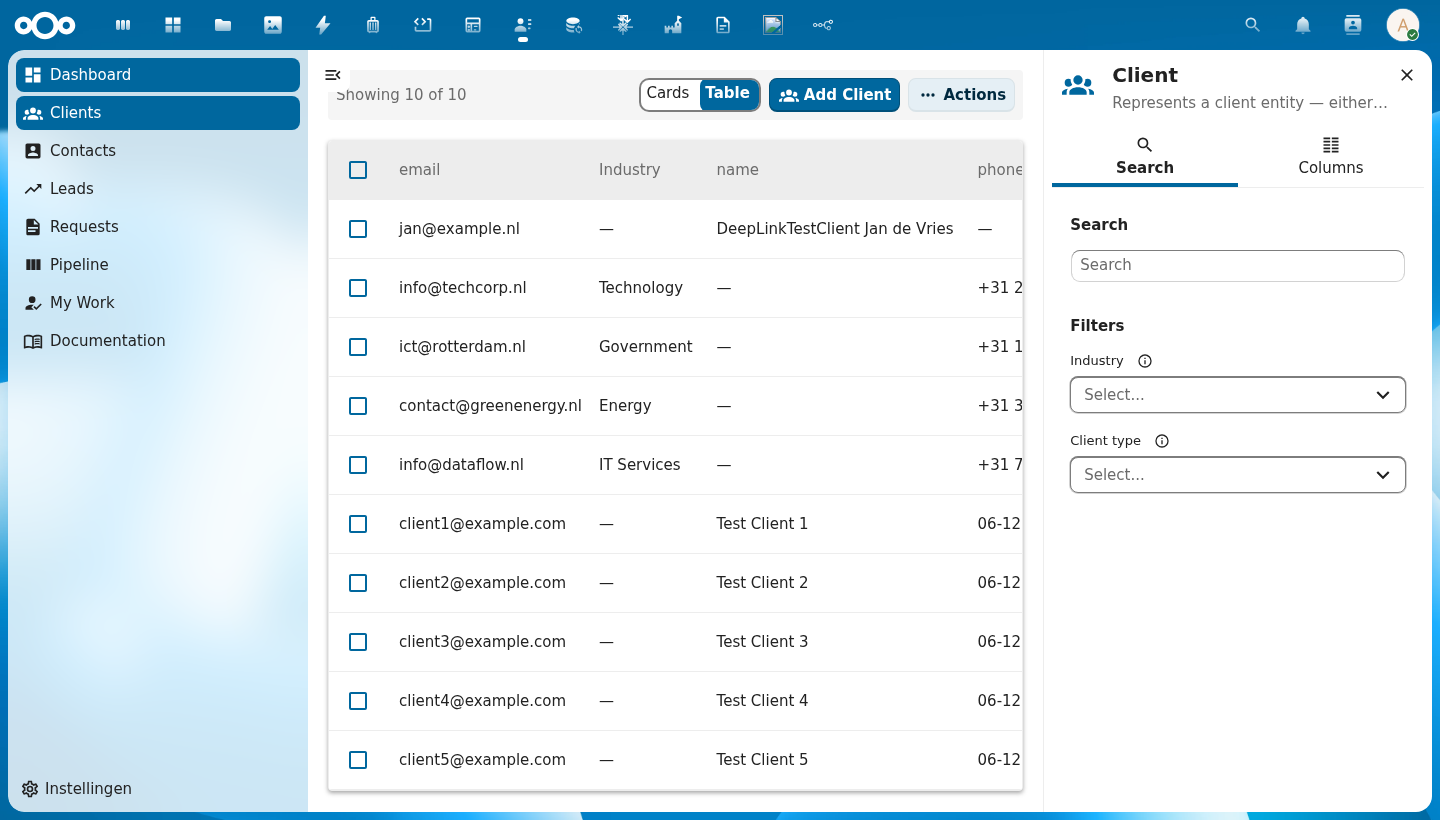
@conduction/nextcloud-vue gives you a full schema-driven CRUD interface for your Nextcloud app in minutes — sortable tables, faceted filters, pagination, dialogs, settings pages, and a unified object store, all wired together from a single JSON schema.
Current Status & Scope
This library is currently developed and tested primarily against OpenRegister — an open-source Nextcloud app that provides a schema-driven object store with registers, schemas, and JSON-based objects.
The goal is broader applicability. The components are designed around standard JSON Schema and generic REST conventions, not OpenRegister internals. Future work will make the store layer configurable so apps can target any backend that follows the same schema/object model.
What this means today:
- The object store (
createObjectStore) calls OpenRegister's API paths (/apps/openregister/api/...) - Schema objects follow the OpenRegister schema format (title, description, properties, icon, required)
- Apps that use OpenRegister get the full feature set out of the box
- Apps targeting a different backend can still use all UI components directly — they just wire up their own data fetching
Prerequisites
- Nextcloud development environment (Docker recommended)
- Node.js 18+
- OpenRegister app installed and enabled (for the full store integration)
- A Nextcloud app scaffold (see Nextcloud App Development)
Install the Library
npm install @conduction/nextcloud-vue
Webpack Configuration
The library uses source aliasing for local development. Your webpack.config.js needs:
- Library alias — resolve
@conduction/nextcloud-vueto the source - Deduplication aliases — prevent dual-instance bugs (Vue, Pinia, @nextcloud/vue)
- VueLoaderPlugin replacement — replace (not push) the plugin
const { VueLoaderPlugin } = require('vue-loader')
const path = require('path')
const webpackConfig = require('@nextcloud/webpack-vue-config')

// 1. Library alias
webpackConfig.resolve.alias['@conduction/nextcloud-vue'] = path.resolve(
  __dirname, '../nextcloud-vue/src'
)

// 2. Deduplication — prevent dual Vue/Pinia/NcVue instances
webpackConfig.resolve.alias.vue = path.resolve(__dirname, 'node_modules/vue')
webpackConfig.resolve.alias.pinia = path.resolve(__dirname, 'node_modules/pinia')
webpackConfig.resolve.alias['@nextcloud/vue'] = path.resolve(
  __dirname, 'node_modules/@nextcloud/vue'
)

// 3. Replace VueLoaderPlugin (don't push — duplicates break templates)
webpackConfig.plugins = [new VueLoaderPlugin()]

module.exports = webpackConfig
Without deduplication aliases, webpack resolves the library's own node_modules/vue and node_modules/pinia alongside your app's copies. This causes:
- Dual Pinia —
_serrors because two Pinia instances don't share state - Dual Vue — blank pages because reactivity breaks across instances
Also ensure your package.json has "sideEffects": true:
{
  "sideEffects": true
}
This prevents webpack from tree-shaking the library's CSS barrel imports.
Register Icons
The library uses an extensible icon registry. Import registerIcons and register the MDI icons your schemas use:
// main.js
import { registerIcons } from '@conduction/nextcloud-vue'
import '@conduction/nextcloud-vue/css/index.css'

import AccountGroupOutline from 'vue-material-design-icons/AccountGroupOutline.vue'
import FileDocumentOutline from 'vue-material-design-icons/FileDocumentOutline.vue'
import Cog from 'vue-material-design-icons/Cog.vue'

registerIcons({
  AccountGroupOutline,
  FileDocumentOutline,
  Cog,
})
Icons are resolved by PascalCase name. If a schema references icon: "AccountGroupOutline", it renders the registered component. Unregistered icons fall back to HelpCircleOutline.
Register Library Translations (required)
The library ships its own translation bundles (currently English + Dutch) and registers them under the nextcloud-vue namespace at runtime. Call registerTranslations() once during bootstrap in main.js, before mounting your root Vue instance:
// main.js
import Vue from 'vue'
import { registerIcons, registerTranslations } from '@conduction/nextcloud-vue'
import '@conduction/nextcloud-vue/css/index.css'

registerIcons({ /* ...your icons */ })
registerTranslations()

new Vue({ /* ...router, pinia, etc. */ }).$mount('#content')
Without registerTranslations(), every library-rendered string stays in English — even when the user's Nextcloud language is Dutch. Labels like "Delete", "Cancel", "Items per page:", etc. will not pick up translations automatically, because Nextcloud's server-side l10n discovery only scans each app's own l10n/ directory and cannot see an npm package's bundles.
See Internationalisation (i18n) for details on overriding individual strings via props, and how to contribute a new language to the library bundles.
Create the Object Store
Use createObjectStore with plugins for your data needs:
// store/modules/object.js
import { createObjectStore } from '@conduction/nextcloud-vue'
import {
  filesPlugin,
  auditTrailsPlugin,
  relationsPlugin,
  registerMappingPlugin,
} from '@conduction/nextcloud-vue'

export const useObjectStore = createObjectStore('myapp-objects', {
  plugins: [filesPlugin, auditTrailsPlugin, relationsPlugin, registerMappingPlugin],
})
Create a Settings Store
Fetch your app's settings and register object types:
// store/modules/settings.js
import { defineStore } from 'pinia'

export const useSettingsStore = defineStore('myapp-settings', {
  state: () => ({
    settings: null,
    loading: false,
  }),
  actions: {
    async fetchSettings() {
      this.loading = true
      const response = await fetch('/apps/myapp/api/settings')
      this.settings = await response.json()
      this.loading = false
    },
  },
})
Initialize Stores at Boot
// store/store.js
import { useObjectStore } from './modules/object.js'
import { useSettingsStore } from './modules/settings.js'

export async function initializeStores() {
  const settingsStore = useSettingsStore()
  const objectStore = useObjectStore()

  await settingsStore.fetchSettings()

  // Register each entity type from settings (schemaId, registerId)
  for (const [type, config] of Object.entries(settingsStore.settings.objectTypes)) {
    objectStore.registerObjectType(type, config.schema, config.register)
  }
}
Set Up Vue Router
// router/index.js
import VueRouter from 'vue-router'
import Vue from 'vue'

Vue.use(VueRouter)

export default new VueRouter({
  mode: 'hash',
  routes: [
    { path: '/', name: 'Dashboard', component: () => import('../views/DashboardIndex.vue') },
    { path: '/contacts', name: 'ContactList', component: () => import('../views/ContactList.vue') },
    { path: '/contacts/:contactId', name: 'ContactDetail', component: () => import('../views/ContactDetail.vue'), props: true },
    // Add routes for each entity type...
  ],
})
Build Your First List Page
<template>
  <CnIndexPage
    :title="schema?.title || 'Contacts'"
    :schema="schema"
    :objects="objectStore.getCollection('contact')"
    :pagination="objectStore.getPagination('contact')"
    :loading="objectStore.isLoading('contact')"
    @row-click="onRowClick"
    @create="onCreate"
    @delete="onDelete"
    @refresh="onRefresh"
    @page-changed="onPageChanged"
    @sort="onSort" />
</template>

<script>
import { CnIndexPage } from '@conduction/nextcloud-vue'
import { useObjectStore } from '../../store/modules/object.js'

export default {
  name: 'ContactList',
  components: { CnIndexPage },
  setup() {
    const objectStore = useObjectStore()
    return { objectStore }
  },
  computed: {
    schema() {
      return this.objectStore.getSchema('contact')
    },
  },
  mounted() {
    this.objectStore.fetchCollection('contact')
  },
  methods: {
    onRowClick(row) {
      this.$router.push({ name: 'ContactDetail', params: { contactId: row.id } })
    },
    onCreate(formData) {
      this.objectStore.saveObject('contact', formData)
    },
    onDelete(id) {
      this.objectStore.deleteObject('contact', id)
    },
    onRefresh() {
      this.objectStore.fetchCollection('contact')
    },
    onPageChanged(page) {
      this.objectStore.fetchCollection('contact', { _page: page })
    },
    onSort({ key, order }) {
      this.objectStore.fetchCollection('contact', { _sort: key, _order: order })
    },
  },
}
</script>
That's it — you have a working list page with sorting, pagination, faceted filtering, and CRUD dialogs, all driven by your OpenRegister schema.
Design principles
The four ideas every Cn* component is built on:
- Nextcloud-native — components consume Nextcloud CSS variables (
var(--color-primary-element),var(--color-border), etc.) and integrate with the Nextcloud shell without any custom theming. No--cn-*tokens, no hardcoded colors. See Design tokens for the full variable reference. - Slot-first — every component exposes named slots. Dialogs in particular support three override levels: full replacement (
#form), form-content override (#form-fields), and per-field override (#field-{key}). - Backwards compatible — props, events, and slots are deprecated with a
console.warnand at least one minor release before removal. Minor bumps never break existing consumers. - Schema-driven —
columnsFromSchema,filtersFromSchema, andfieldsFromSchemagenerate UI directly from JSON Schema so you describe your data model once and reuse it for tables, filters, and forms.
Consumer apps
@conduction/nextcloud-vue is used in production by OpenRegister, OpenCatalogi, Dossiq, Pipelinq, and Launchpad. Changes to the library affect all of them — the JSDoc completeness ratchet and the auto-generated component reference (see every Cn* page) are the safety nets that make per-app upgrades predictable.
Next Steps
- Layouts — how the List, Detail, and Settings page layouts work
- Component Reference — browse all Cn* components
- Design tokens — Nextcloud CSS variables every component consumes
- OpenRegister Integration — deep dive into the backend connection
- Architecture Overview — understand the three-layer design