List Page Layout
The standard layout for browsing and managing a collection of objects. Used for clients, contacts, leads, characters, events — any entity type.
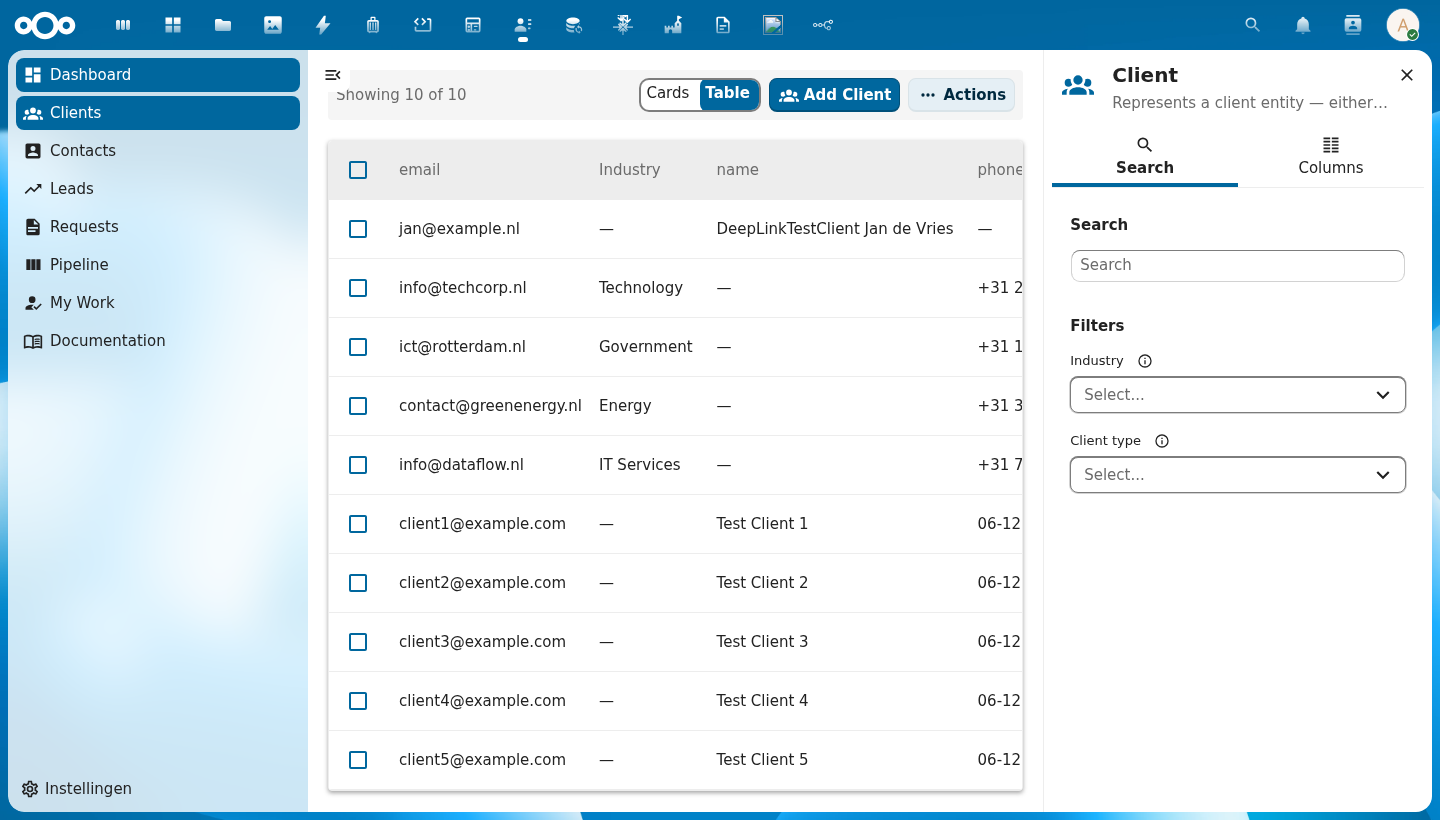
Anatomy
+-----------------------------------------------------+--------------+
|  [Cards] [Table]   Add Client    Actions            |  Client      |
+-----------------------------------------------------+  Search tab  |
|  [ ]  email        Industry    name         Actions |  Columns tab |
|  [ ]  info@...     Government  VNG          ...     +--------------+
|  [ ]  info@...     Technology  Conduction   ...     |  [Search...] |
|  [ ]  info@...     Energy      GreenCo      ...     |              |
|  [ ]  info@...     IT Services DataFlow     ...     |  Filters     |
|                                                     |  Industry v  |
|  Showing 5 of 5   < 1 >                            |  Status v    |
+-----------------------------------------------------+--------------+
Component Breakdown
Filter Bar
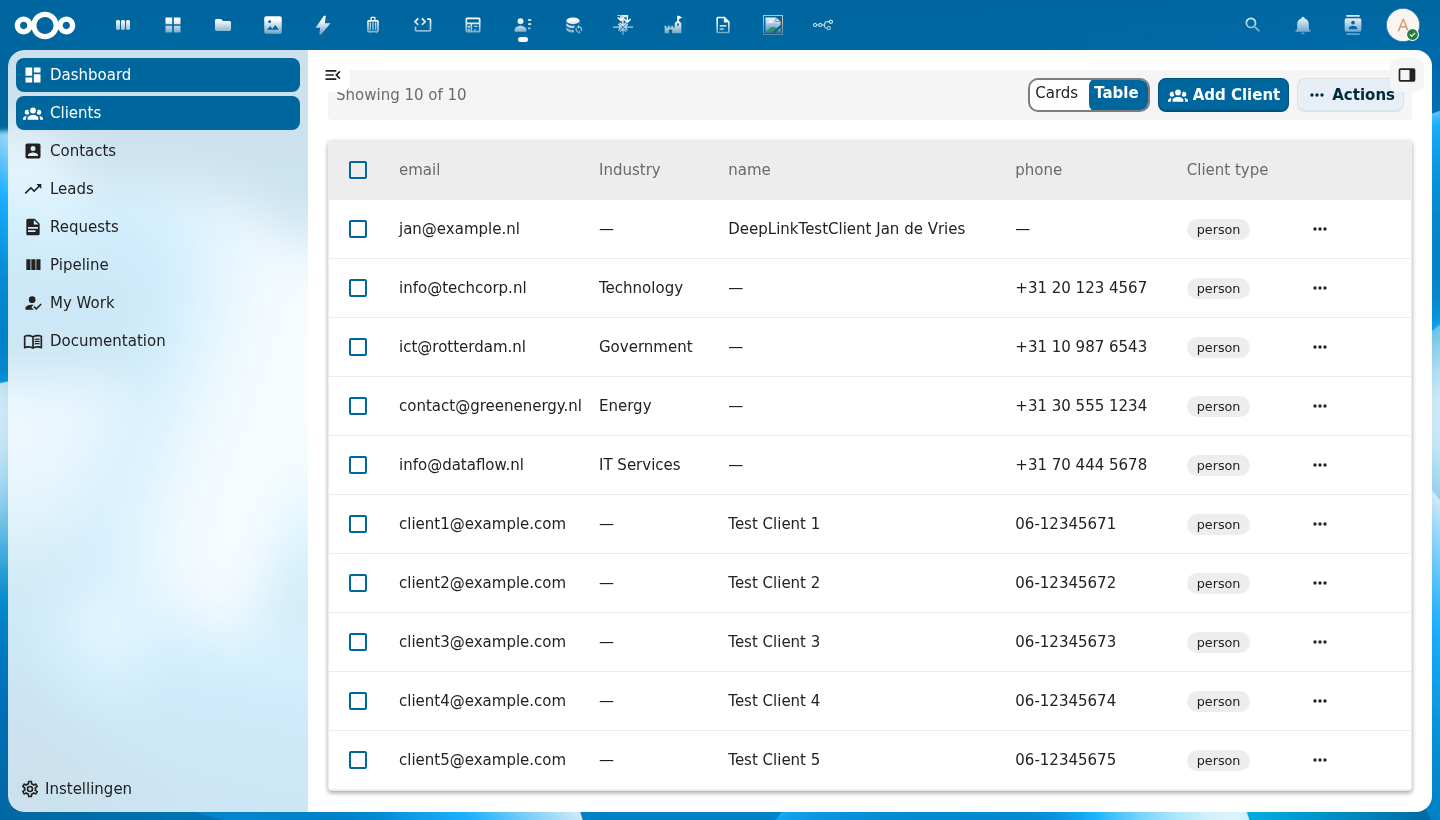
The top bar contains:
- View toggle — switch between Table and Cards view
- Add button — opens CnFormDialog to create a new object
- Actions menu — mass import, export, copy, delete
Data Table
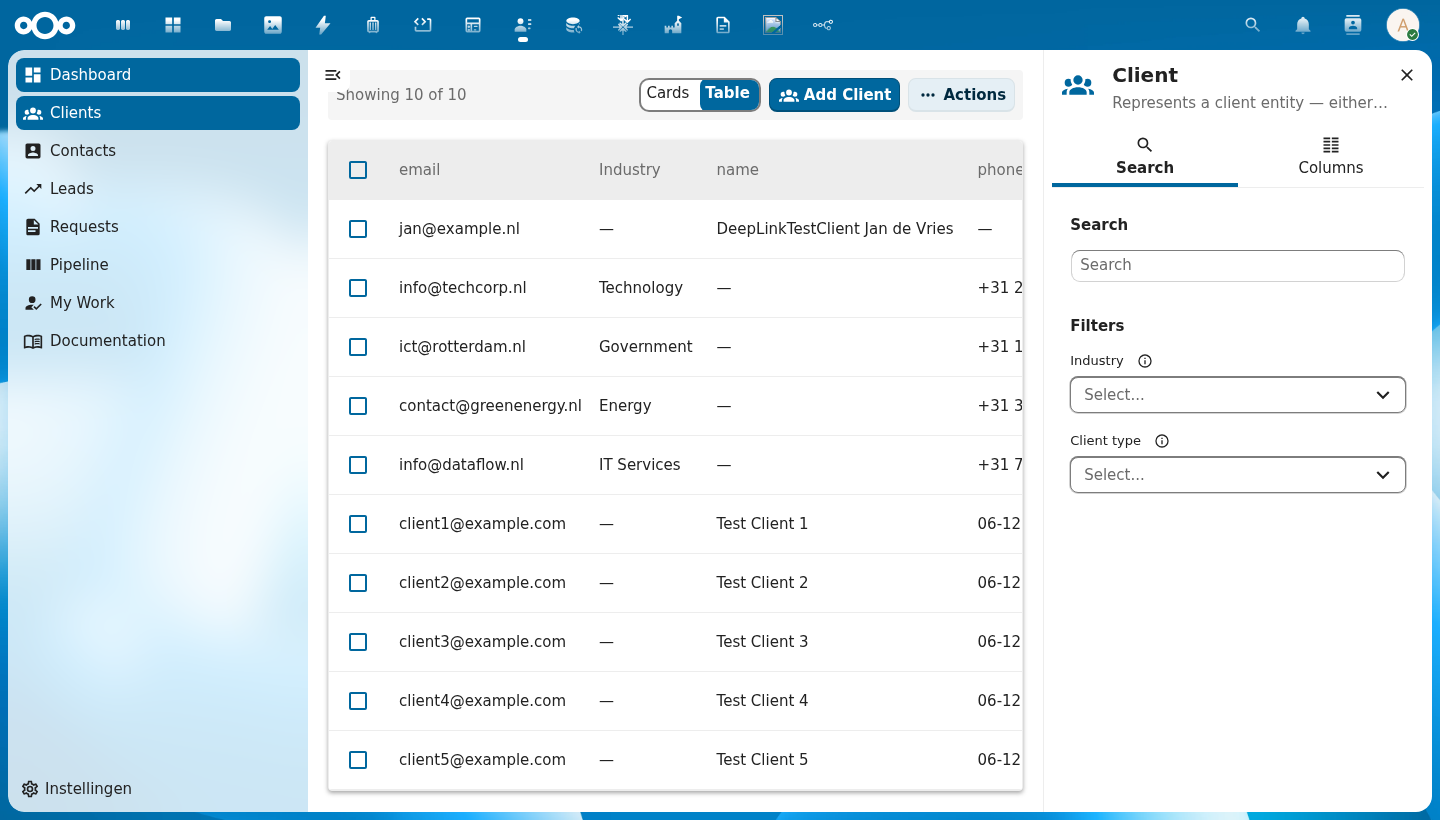
Columns are auto-generated from the schema. Click column headers to sort. Each row has:
- Checkbox — multi-select for mass actions
- Avatar — auto-generated from the object's name
- Cells — type-aware rendering (email links, status badges, dates, booleans)
- Actions button — per-row action menu
Row Actions
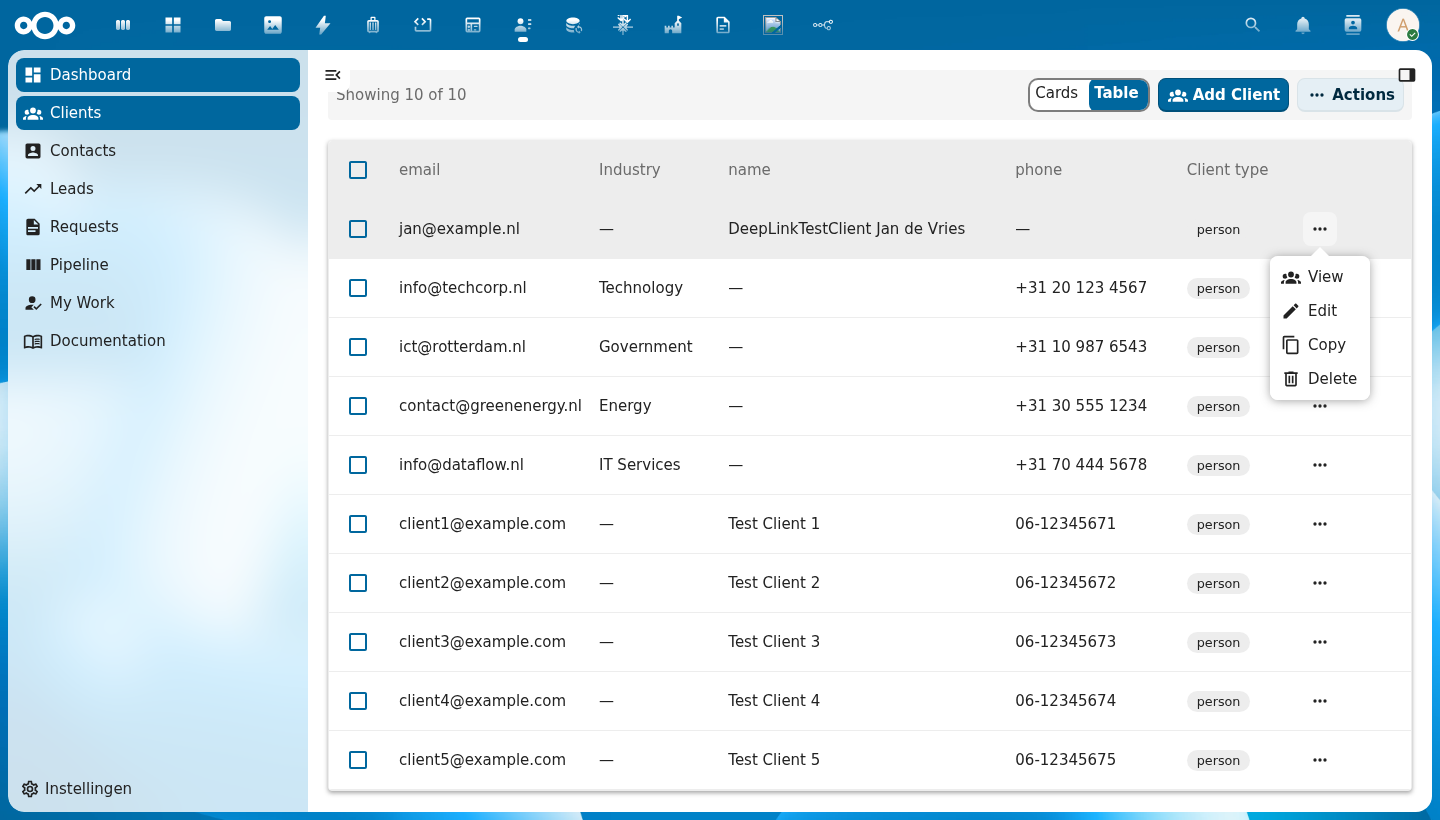
The per-row actions menu. Default: Edit, Copy, Delete. Add custom actions via the actions prop.
Pagination
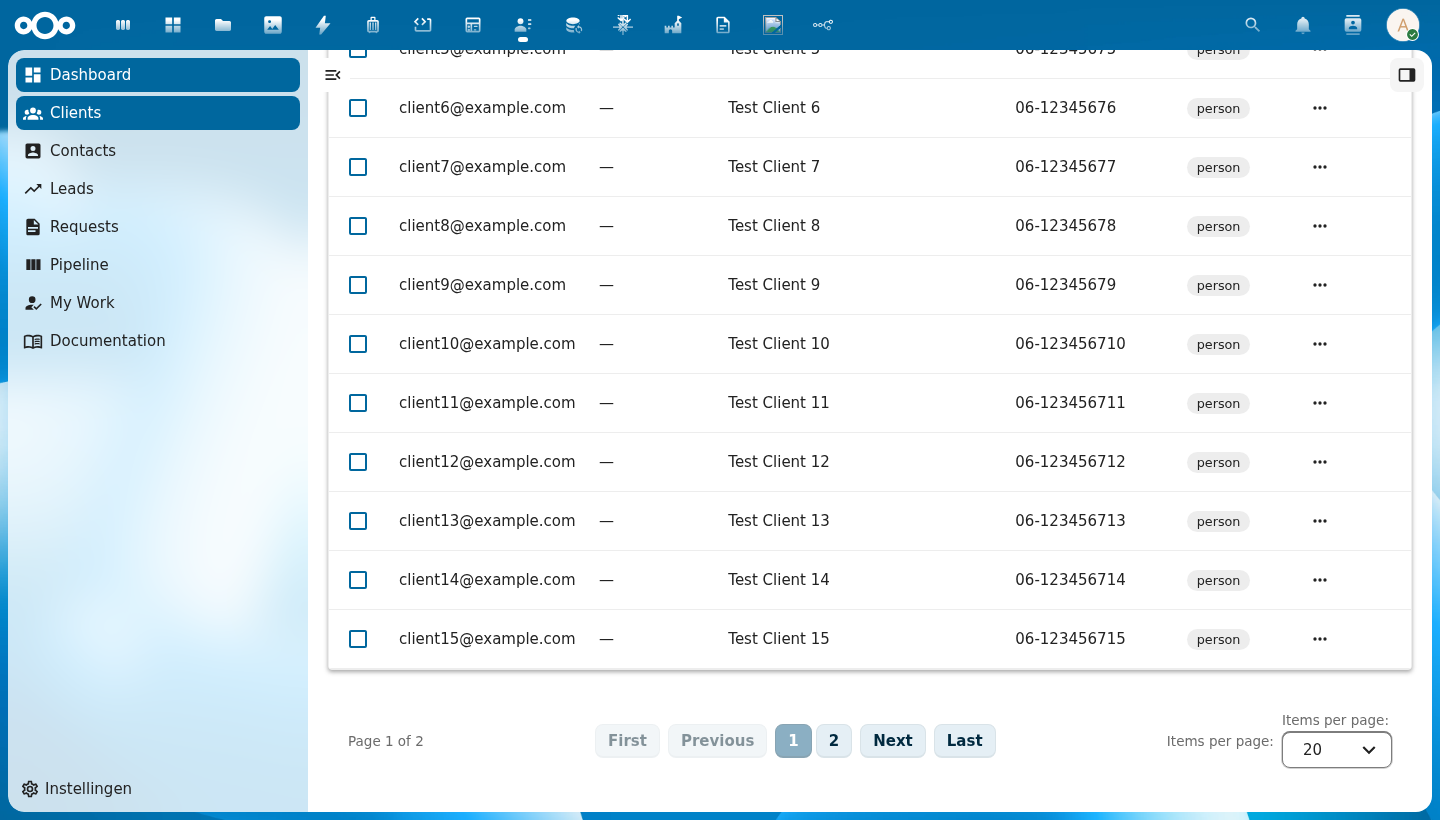
Below the table: item count ("Showing N of N"), page navigation buttons, and page size selector. Hidden automatically when all items fit on one page.
Right Sidebar (CnIndexSidebar)
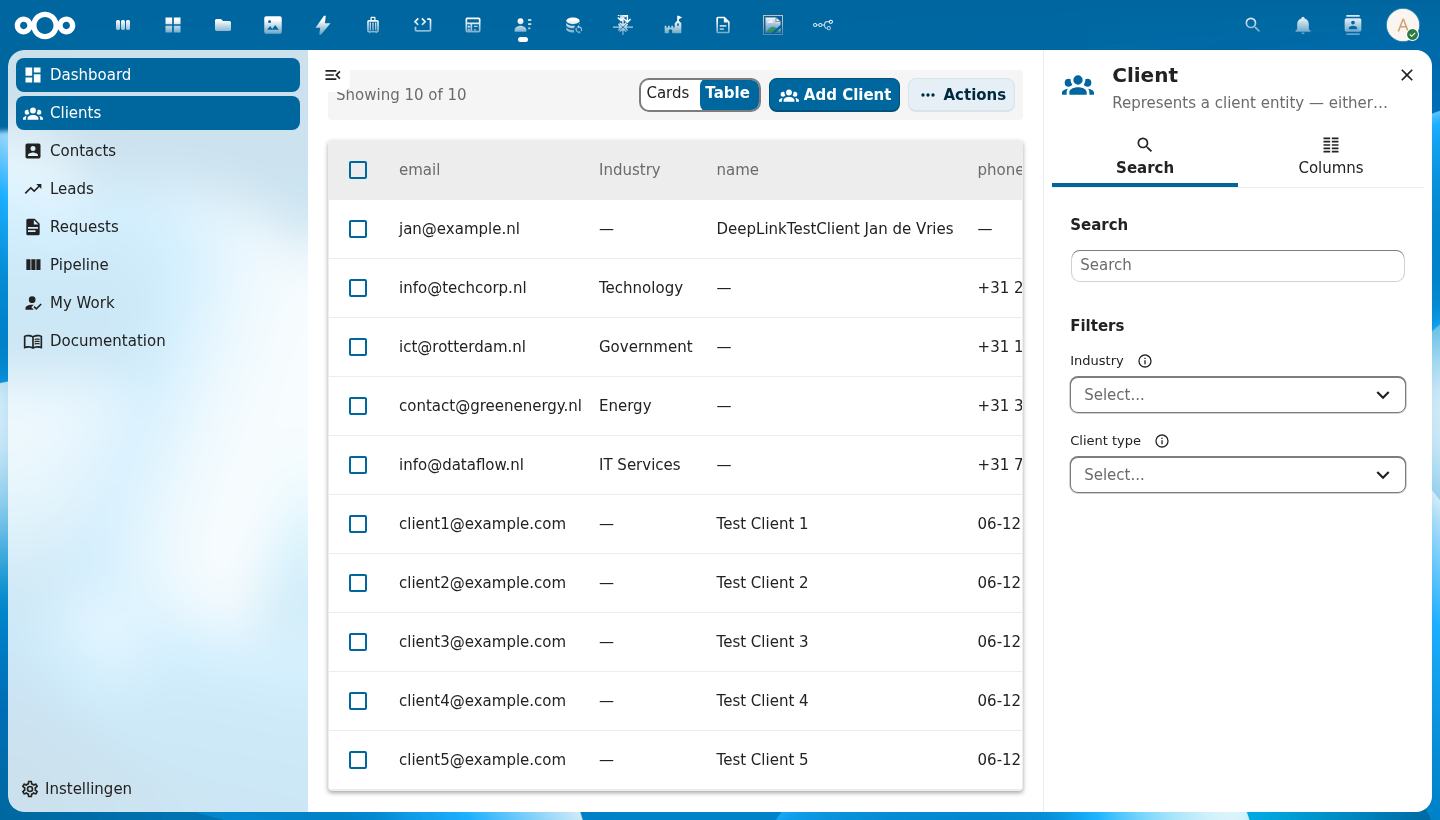
Two tabs:
- Search — full-text search input and filter controls (dropdowns, date ranges, checkboxes based on schema)
- Columns — toggle column visibility
Usage
<template>
  <NcContent app-name="myapp">
    <NcAppNavigation><MainMenu /></NcAppNavigation>
    <NcAppContent>
      <CnIndexPage
        :title="schema.title"
        :schema="schema"
        :objects="store.getCollection('client')"
        :pagination="store.getPagination('client')"
        :loading="store.isLoading('client')"
        @row-click="onRowClick"
        @create="onCreate"
        @edit="onEdit"
        @delete="onDelete"
        @refresh="store.fetchCollection('client')"
        @page-changed="p => store.fetchCollection('client', { _page: p })"
        @sort="s => store.fetchCollection('client', s)" />
    </NcAppContent>
  </NcContent>
</template>
CnIndexPage manages its own CnIndexSidebar internally — no extra wiring needed.